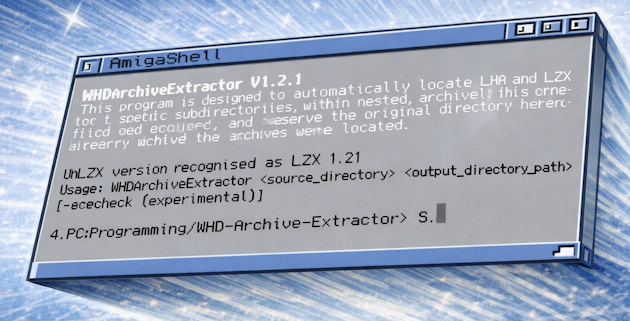
About WHD Archive Extractor
WHD Archive Extractor is a command-line tool for Amiga users working with large sets of WHDLoad archives. It scans folders and subfolders for supported archives, extracts them using Amiga-native tools, and recreates the original folder structure under a chosen output path.
It was written to make large personal WHDLoad collections easier to manage on the Amiga itself, while preserving Amiga-specific filenames and file attributes that can be lost or altered when archives are handled on other systems.
What Problem It Solves
Extracting WHDLoad archives directly on an Amiga helps preserve the original file layout, naming, and attributes. Doing that manually for hundreds or thousands of archives is slow and repetitive.
WHD Archive Extractor automates that process, keeps the source folder structure intact, and can also skip work that has already been done when the destination drawer already exists.
What It Can Do
- Scans source folders and subfolders for LHA and LZX archives
- Extracts archives using archive tools already installed in C:
- Preserves the source subfolder structure under the chosen destination
- Supports archive test mode without extraction
- Can skip archives whose destination drawer already exists
- Can reduce console output for script or batch use, or increase it for more detailed runs
- Can write a fixed summary report for the most recent run
- Can create a run log of newly extracted archives when using skip-if-destination-exists mode
- Optionally applies custom drawer icons to newly created destination folders
- Includes fallback handling if proactive destination drawer creation fails
What's New in the Current Version
- New output modes for script, normal, and verbose runs
- New
-writesummaryoption to save a summary of the last run - Source-only
-testarchivesonlymode now works without needing a dummy destination path - Optional skip mode for archives whose destination drawer already exists
- Optional quieter skip logging for large batch runs
- Improved handling of destination drawer preparation, including fallback to extractor-managed folder creation
- Optional custom drawer icon support for newly created drawers
- Clearer handling of LZX tool differences, including behaviour for UnLZX 2.16 and LZX 1.21
Manual
Read the full WHD Archive Extractor manual
The Aminet readme and GitHub repository cover command-line usage, prerequisites, and workflow details. It also works well alongside WHDFetch and IconSync.
Typical Use
A typical use is to point WHD Archive Extractor at a folder tree containing downloaded WHDLoad archives and provide a destination path on an Amiga volume.
USAGE:
WHDArchiveExtractor <source_directory> <output_directory>
For example:
WHDArchiveExtractor PC0:WHDLoad/Beta DH0:WHDLoad/Beta
This scans the PC0:WHDLoad/Beta directory and extracts supported archives to
DH0:WHDLoad/Beta, preserving the folder structure.
Requirements
- AmigaOS 2.0.4 or newer
lhain C:unlzxor compatible LZX extractor in C: for LZX archives
Aminet: v2.0 · 3467 downloads · checked 05 Oct 2026